
Office 2021 Licenses
Office 2021 licenses are one-time purchases of the Office 2021 apps for Windows 10/11 and Mac, from Home & Student to Professional Plus.
- 2
- 3
- 4
Buy Office 2021 Licenses at SuperKeyStore
Office 2021 is the perpetual Office release Microsoft launched in October 2021. It is a sensible choice for users who want a stable, paid-once version of Word, Excel and PowerPoint, and for offices that still need Publisher, which is no longer part of Office 2024.
The range runs from Office 2021 Home & Student for Windows for school and home, through Office Home and Business 2021 for Windows with Outlook, to Office 2021 Professional Plus for Windows with Access and Publisher. Each order brings a product key and download link to your inbox, usually within minutes.
Why buy an Office 2021 license?
Office 2021 brought several improvements over Office 2019:
- Real-time co-authoring: Several people can edit the same Word, Excel or PowerPoint file stored on OneDrive or SharePoint at once.
- Better Excel formulas: XLOOKUP, dynamic arrays and the LET function make spreadsheets shorter and easier to maintain.
- Modern look: A refreshed interface with dark mode support and the Microsoft Search box at the top of each app.
- No subscription: You pay once and keep using the apps; Microsoft supports Office 2021 with security updates until October 2026.
- Publisher still included: Professional Plus 2021 contains Publisher for flyers and newsletters, which later releases dropped.
What are the main features of Office 2021?
Office 2021 combines the familiar apps with several improvements:
1. XLOOKUP and dynamic arrays
Excel 2021 adds XLOOKUP, FILTER, SORT, UNIQUE and LET. Analysts replace long nested formulas with short, readable ones.
2. Co-authoring
Word, Excel and PowerPoint let several people edit a shared file at once. Small teams see each other's changes live.
3. Improved inking and recording
PowerPoint 2021 records slide shows with narration and ink, and supports replaying ink strokes. Teachers create lessons for later viewing.
4. Accessibility Checker
The checker finds and fixes problems such as missing alt text. Schools and public offices produce more accessible documents.
5. Stock media
Office 2021 includes a library of images, icons and illustrations to insert in documents and slides. Students make better-looking work quickly.
Which Office 2021 product is right for you?
Pick Home & Student for personal use, Home and Business if you need Outlook or use Office commercially, and Professional Plus for Access and Publisher.
| Product | Best for | Platform | Apps |
|---|---|---|---|
| Office 2021 Home & Student for Windows | Students and families | Windows | Word, Excel, PowerPoint, OneNote |
| Office Home and Student 2021 for Mac | Mac users at home | macOS | Word, Excel, PowerPoint, OneNote |
| Office Home and Business 2021 for Windows | Freelancers and small firms | Windows | Adds Outlook, commercial use |
| Office 2021 Home & Business for Mac | Business users on Mac | macOS | Adds Outlook, commercial use |
| Office 2021 Standard for Windows | Offices that need Publisher without Access | Windows | Adds Outlook and Publisher |
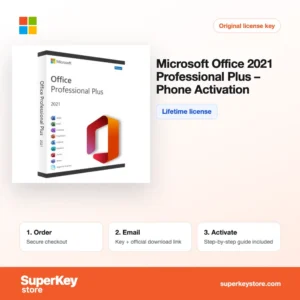
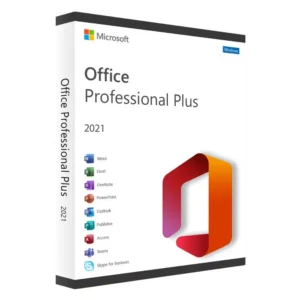
| Office 2021 Professional Plus for Windows | Power users and databases | Windows | Adds Access, Publisher, Outlook |
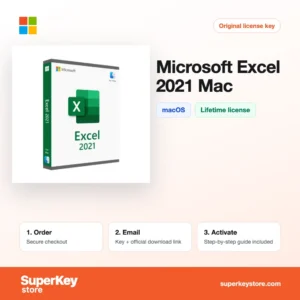
If you only need one program, single apps such as Microsoft Excel 2021 for Windows, Microsoft Word 2021 for Mac or Microsoft Access 2021 for Windows cost less than a full suite.
What are the system requirements for Office 2021?
Office 2021 runs on Windows 10 or 11, or on recent macOS versions; check each product's System Requirements tab.
| Component | Minimum |
|---|---|
| Operating system | Windows 11 or Windows 10; one of the three latest macOS versions for Mac editions |
| Processor | 1.1 GHz or faster, 2 cores (Windows); Intel or Apple silicon (Mac) |
| Memory (RAM) | 4 GB (64-bit), 2 GB (32-bit) |
| Disk space | 4 GB (Windows) or 10 GB (Mac) |
| Other | Internet connection for activation; Microsoft account for most editions |
The Mac editions of Office 2021 are 64-bit only and run natively on Apple silicon. On Windows, install either 32-bit or 64-bit Office, not both, and remove any trial copy of Microsoft 365 before installing to avoid conflicts. A screen resolution of at least 1280 x 768 is required.
How do you download and activate Office 2021?
- Order: Choose the edition and platform, then pay at checkout.
- Read the email: Your key and installation link arrive, usually within minutes; a security check can take up to 24 hours.
- Download: Get the Office 2021 installer from Microsoft, via setup.office.com or the link and instructions in the email.
- Activate: Start any Office app and enter the 25-character key or sign in with the Microsoft account linked to it.
What happens to my Office 2021 license if I reinstall or format my computer?
If your Office 2021 key was linked to a Microsoft account, sign in after reinstalling and download Office again from the account page; it reactivates. Professional Plus and Standard volume editions are reinstalled with the installer and key from your email. Phone-activated editions need the phone or offline activation again.
Can I move a Office 2021 license to a new PC or Mac?
Retail editions can be moved to a new PC or Mac of the same platform after you uninstall them from the old device. Volume, Bind and phone editions follow the rules described in the delivery email. Windows and Mac editions of Office 2021 are separate products.
Remove any preinstalled Microsoft 365 trial from a new PC before you install Office 2021. A trial left in place can cause the new installation to ask for a subscription instead of your key.
What if my Office 2021 key does not work?
Send support your order number and a screenshot of the Office activation message. We will issue a replacement key or a refund in line with our Refund Policy.
Frequently asked questions about Office 2021
Is Office 2021 a lifetime license?
Yes. Office 2021 is a one-time purchase that keeps working after support ends, although it then no longer receives security updates.
Does Office 2021 run on Windows 11?
Yes. Office 2021 runs on Windows 10 and Windows 11, and the Mac editions run on recent versions of macOS.
Should I buy Office 2021 or Office 2024?
Choose Office 2024 for the longest support period. Choose Office 2021 if you need Publisher or want a lower price for the same core apps.
Can I move Office 2021 to a new computer?
Retail and account-bound editions can usually be moved after you uninstall them from the old PC. Volume editions are typically tied to one installation.
What is the Professional Plus (Phone) edition?
Office 2021 Professional Plus (Phone) is activated by telephone or offline confirmation instead of online activation, as explained in the delivery email.
Does Office 2021 for Mac include Access?
No. Access and Publisher are Windows-only programs, so the Mac editions contain Word, Excel, PowerPoint, OneNote and, in business editions, Outlook.
Does Office 2021 receive new features?
No. Office 2021 receives security and stability updates only, not new features.
Can I install 32-bit or 64-bit Office 2021?
Both are available on Windows; 64-bit is the default and the right choice for most users.
Can Office 2021 open files made in Office 2024 or Microsoft 365?
Yes. All these versions use the same DOCX, XLSX and PPTX formats, although features added later, such as some new Excel functions, may not work in Office 2021.
More Office and Windows licenses
See all versions under Microsoft Office Licenses, compare with the subscription in Microsoft 365 Licenses, or upgrade your system with Windows Licenses.
What do you get after buying Office 2021 Licenses at SuperKeyStore?
You get an email with your license key, the official download link and step-by-step activation instructions. These items are included with every order:
- License key: the product key for the edition, term and number of devices named on the product page.
- Official download: a link to the installer on the developer's own website.
- Activation guide: the steps to install and activate the software, also shown in the Download & Activation tab.
- Order history: the key stays in your confirmation email and under My account.
- Email support: help with installation or activation from our support team.
Why buy software licenses from SuperKeyStore?
SuperKeyStore sells digital license keys with email delivery, secure checkout and a clear policy for faulty keys. The main reasons customers order here are:
- Digital delivery: no shipping; the key usually arrives by email within minutes of payment, and some orders get a security check of up to 24 hours.
- Clear product details: every product page states the edition, platform, license term and number of devices.
- Replacement or refund: if a key does not work, you get a working key or your money back, as set out in the Refund Policy.
- Secure payment: payments are processed by the payment provider; SuperKeyStore does not store full card details.
Other software licenses in the SuperKeyStore catalog
SuperKeyStore also sells licenses in these categories:
- Windows Licenses: Windows 11 Licenses · Windows 10 Licenses
- Microsoft Office Licenses: Office 2024 Licenses · Office 2021 Licenses · Office 2019 Licenses · Office 2016 Licenses · Microsoft Office for Mac Licenses · Microsoft Word, Excel & Office App Licenses · Microsoft Project Licenses · Microsoft Visio Licenses
- Microsoft 365 Licenses
- Antivirus Licenses: Norton Antivirus Licenses · McAfee Antivirus Licenses · Kaspersky Antivirus Licenses · Bitdefender Antivirus Licenses · ESET Antivirus Licenses · Avast Antivirus Licenses · AVG Antivirus Licenses · Panda Antivirus Licenses · VPN Licenses · Business Security Licenses
- Windows Server Licenses & CALs: Windows Server CAL & RDS CAL Licenses · Microsoft SQL Server Licenses · Exchange & SharePoint Server Licenses
- CAD & 3D Design Software Licenses: Autodesk Software Licenses · Graphisoft Archicad Licenses · SolidWORKS Licenses
- Graphic Design & Photo Software Licenses: Adobe Software Licenses · CorelDRAW Licenses
- PDF & Office Tools Licenses
- Backup & Data Recovery Software Licenses
- Video & Music Software Licenses
- Virtualization Software Licenses
- Office & Windows Bundle Licenses