
Licenze Autodesk AutoCAD
AutoCAD is Autodesk’s 2D and 3D CAD software. This category holds AutoCAD and AutoCAD LT for Windows and Mac and the specialized toolsets for architecture, electrical, mechanical, MEP, mapping and plant design.
- 2
- 3
- 4




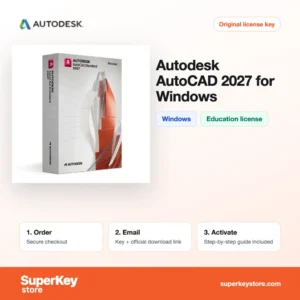
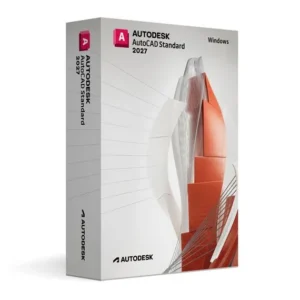
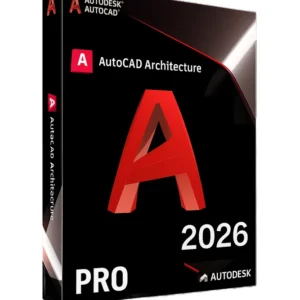
Buy Autodesk AutoCAD Licenses at SuperKeyStore
AutoCAD is the drafting program used across architecture, engineering and construction to produce precise drawings in the DWG format. Most licenses on this page are Education editions, intended for students and teachers for personal, non-commercial learning. A smaller group of multi-version and term licenses covers the core program and selected toolsets.
Popular choices include AutoCAD 2027 for Windows (Education), Autodesk AutoCAD 2027 for Mac (Education) and the bundled Autodesk AutoCAD 2027 Complete Package (Education). You receive your license details and the download link by email, usually within minutes.
Why buy an AutoCAD license?
AutoCAD remains a standard tool in technical drawing for several practical reasons:
- Industry-standard DWG files: Drawings in DWG can be exchanged with offices, contractors and authorities that work in AutoCAD-based workflows.
- Precise 2D drafting: Layers, object snaps, dimensions, blocks and annotation scaling let you produce plans and details to exact measurements.
- 3D modeling: Full AutoCAD adds solid, surface and mesh modeling for visualising parts and buildings. AutoCAD LT is limited to 2D.
- Specialized toolsets: Architecture, Electrical, Mechanical, MEP, Map 3D, Plant 3D and Raster Design add discipline-specific objects, symbol libraries and automation.
- Automation: AutoLISP scripts and dynamic blocks remove repetitive steps from everyday drafting in the full version.
What are the main features of AutoCAD?
These features explain why schools and offices teach and use AutoCAD:
1. Drafting and annotation tools
Lines, polylines, hatches, dimensions and multileaders are the building blocks of every drawing. Students learn standard drafting conventions that transfer directly to professional work.
2. Blocks and dynamic blocks
Blocks store reusable symbols such as doors, bolts or electrical components. Dynamic blocks change size or shape with grips, which cuts down repetitive drawing.
3. Layouts and plotting
Paper space layouts arrange several scaled views on a title sheet. Users print to paper or PDF with consistent line weights through plot styles.
4. 3D solid and surface modeling
Full AutoCAD can extrude, revolve and combine solids and generate 2D views from the model. This suits product and architecture students who need to visualize designs.
5. Discipline toolsets
Toolsets such as Architecture, MEP and Electrical add intelligent objects and large libraries. Wires, ducts and walls behave like real components instead of plain lines.
6. Markup import and drawing history
Recent releases can import markups from PDFs and paper scans and compare drawing versions. Teams and teachers can review changes faster.
Which AutoCAD product is right for you?
Students learning general CAD should pick plain AutoCAD for their operating system; those studying a specific discipline should pick the matching toolset. AutoCAD LT is enough for 2D-only coursework.
| Prodotto | Best for | Platform | License type |
|---|---|---|---|
| AutoCAD 2027 for Windows (Education) | 2D and 3D drafting coursework | Windows | Education, non-commercial |
| Autodesk AutoCAD LT 2027 for Mac (Education) | 2D drawings only | macOS | Education, non-commercial |
| Autodesk AutoCAD Architecture 2027 for Windows (Education) | Floor plans, walls, doors and windows | Windows | Education, non-commercial |
| Autodesk AutoCAD Electrical 2027 (Education) | Schematics and control panel layouts | Windows | Education, non-commercial |
| Autodesk AutoCAD Plant 3D 2027 (Education) | Process plant and piping design | Windows | Education, non-commercial |
Earlier releases from 2024 to 2026 are also available at lower prices. The toolsets other than LT and the core program run on Windows only. Non-education options such as the multi-version AutoCAD 2024/2025/2026 license and the three-year Architecture and MEP licenses are also listed; check each product page for its terms.
What are the system requirements for AutoCAD?
Current AutoCAD releases need a 64-bit Windows 10 or 11 PC or a recent Mac, with at least 8 GB of RAM; check each product's System Requirements tab for the exact figures of your version and toolset.
| Componente | Typical minimum for a current release |
|---|---|
| Sistema operativo | 64-bit Windows 10 or Windows 11; for Mac versions, a recent macOS release |
| Processore | 2.5 GHz or faster x86-64 processor (3 GHz or more recommended); Apple silicon or Intel on Mac |
| Memoria (RAM) | 8 GB; 16 GB recommended |
| Spazio su disco | About 10 GB for AutoCAD; toolsets need more, SSD recommended |
| Other | DirectX 11 compatible graphics card; internet connection for download and sign-in |
How do you download and activate AutoCAD?
- Order: Select the version, toolset and operating system, then complete checkout.
- Email delivery: Your license details and download link arrive by email, usually within minutes; a security check can take up to 24 hours.
- Download: Install the software from Autodesk's official website through the link provided.
- Activate: Sign in with the Autodesk account linked to your license, or enter the key when asked, and start AutoCAD.
What happens to my AutoCAD license if I reinstall or format my computer?
AutoCAD licenses are tied to your Autodesk account, not to the hardware. After reinstalling Windows or macOS, download AutoCAD again and sign in with the same account to continue using it. Save your drawings, templates and custom settings elsewhere before formatting, since they are not kept in the account.
Can I move an AutoCAD license to a new PC or Mac?
Yes, install AutoCAD on the new computer and sign in with your Autodesk account; sign out on the old computer first. The Windows and Mac editions are separate products, so a Windows toolset such as Electrical cannot be moved to a Mac. Education licenses remain limited to non-commercial study and teaching on the new device as well.
What if my Autodesk AutoCAD key does not work?
Write to our support team with your order number and a screenshot of the error. You will receive a replacement or a refund as described in the Politica di rimborso.
Frequently asked questions about AutoCAD
Can I use an AutoCAD Education license for paid work?
No, Education licenses are for students and teachers for learning and personal, non-commercial use. Drawings made with them may carry an educational watermark.
What is the difference between AutoCAD and AutoCAD LT?
AutoCAD LT covers 2D drafting only. Full AutoCAD adds 3D modeling, AutoLISP automation and support for the specialized toolsets.
Does AutoCAD run on a Mac?
Yes, AutoCAD and AutoCAD LT have native macOS versions. The specialized toolsets such as Architecture and MEP are available only for Windows.
How many computers can I install AutoCAD on?
An Autodesk license is tied to one named user, who can install it on more than one computer but use it on one at a time. Sign in with the same account on each machine.
Should I buy the newest version or an older one?
Choose the version your course or office uses so files and features match. Newer versions open older DWG files, but older versions may not open the newest format without saving down.
What does the Complete Package include?
The Complete Package groups AutoCAD with its toolsets for one release year. It suits students who need several disciplines; see the product page for its exact contents.
Can I open DWG files from AutoCAD 2018 in AutoCAD 2027?
Yes, newer AutoCAD releases open drawings from older versions. You can also save back to older DWG formats for colleagues on earlier releases.
Who is eligible for an AutoCAD Education license?
Education licenses are meant for students and teachers at recognized schools and universities. They may not be used for paid projects or company work.
Is AutoCAD Architecture better than AutoCAD for building design?
AutoCAD Architecture adds intelligent walls, doors, windows and schedules on top of AutoCAD. Students of architecture save time compared with drawing these with plain lines.
More CAD software
Browse other Autodesk programs in Licenze software Autodesk or compare tools from other makers in Licenze software CAD e 3D. Windows users can also find system licenses in Licenze Windows.
Cosa ricevi acquistando licenze Autodesk AutoCAD su SuperKeyStore?
Riceverai un’e-mail con la chiave di licenza, il link di download ufficiale e le istruzioni di attivazione passo dopo passo. Ogni ordine comprende:
- Chiave di licenza: il Product Key per l’edizione, la durata e il numero di dispositivi indicati nella pagina del prodotto.
- Download ufficiale: un link al programma di installazione sul sito del produttore.
- Guida all’attivazione: i passaggi per installare e attivare il software, riportati anche nella scheda “Download e attivazione”.
- Cronologia ordini: la chiave resta disponibile nell’e-mail di conferma e in Il mio account.
- Assistenza via e-mail: aiuto per l’installazione o l’attivazione dal nostro team di assistenza.
Perché acquistare licenze software su SuperKeyStore?
SuperKeyStore vende chiavi di licenza digitali con consegna via e-mail, pagamento sicuro e regole chiare in caso di chiave difettosa. Ecco i motivi principali per ordinare da noi:
- Consegna digitale: nessuna spedizione; la chiave arriva generalmente via e-mail pochi minuti dopo il pagamento e alcuni ordini sono sottoposti a un controllo di sicurezza che può richiedere fino a 24 ore.
- Informazioni chiare: ogni pagina prodotto indica edizione, piattaforma, durata della licenza e numero di dispositivi.
- Sostituzione o rimborso: se una chiave non funziona, ricevi una chiave funzionante o il rimborso, come previsto dalla Politica di rimborso.
- Pagamento sicuro: i pagamenti sono gestiti dal fornitore del servizio di pagamento; SuperKeyStore non conserva i dati completi della carta.
Altre licenze software nel catalogo SuperKeyStore
SuperKeyStore vende licenze anche in queste categorie:
- Licenze Windows: Licenze Windows 11 · Licenze Windows 10
- Licenze Microsoft Office: Licenze Office 2024 · Licenze Microsoft Office per Mac · Licenze Microsoft Word, Excel e app di Office · Licenze Microsoft Project · Licenze Microsoft Visio
- Licenze Microsoft 365
- Licenze antivirus: Licenze antivirus Norton · Licenze antivirus McAfee · Licenze antivirus Bitdefender · Licenze antivirus ESET · Licenze antivirus Avast · Licenze antivirus AVG · Licenze antivirus Panda · Licenze VPN · Licenze per la sicurezza aziendale
- Licenze Windows Server e CAL: Licenze CAL Windows Server e CAL RDS · Licenze Microsoft SQL Server · Licenze Exchange & SharePoint Server
- Licenze software CAD e 3D: Licenze software Autodesk · Licenze Graphisoft Archicad · Licenze SolidWORKS
- Licenze software di grafica e foto: Licenze software Adobe · Licenze CorelDRAW
- Licenze PDF e strumenti per ufficio
- Licenze software di backup e recupero dati
- Licenze software video e musica
- Licenze software di virtualizzazione
- Pacchetti Office e Windows