
Licenze per la sicurezza aziendale
Business security licenses protect company computers, servers and mail from one management console. The category holds ESET PROTECT, Kaspersky Next EDR, Trend Micro, Avast Business and Microsoft Defender for Business.
- 2
- 3
- 4


Buy Business Security Licenses at SuperKeyStore
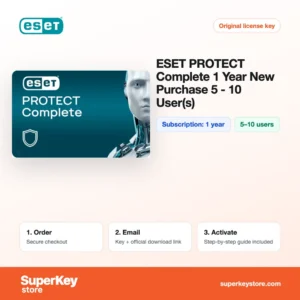
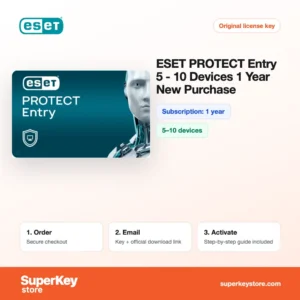
Business security software protects the workstations, laptops, servers and mailboxes of a company and lets one person manage that protection centrally. Unlike home antivirus, these products are licensed per user or per device and include an administration console. Options here range from ESET PROTECT Entry (5-10 Devices, 1 Year) for small offices to Kaspersky Next EDR Foundations (1 year, 5-9 users) e Trend Micro ScanMail for Exchange Suite (26-50 users).
The category is aimed at small and medium businesses, IT service providers and self-employed people with several devices. You receive the license key or activation details and a link to the vendor's official portal by email, usually within minutes.
Why buy a business security license?
Attacks on companies target email, remote access and unpatched endpoints. A business suite helps in these ways:
- Central console: Administrators deploy agents, push policies and see alerts for every device from one cloud or on-premises dashboard.
- Endpoint detection and response: EDR products record suspicious activity and show how an attack started, so you can isolate a machine and clean it.
- Mail protection: Products such as Trend Micro ScanMail filter spam, phishing links and malicious attachments before they reach Microsoft Exchange mailboxes.
- Disk encryption and patching: Higher tiers like ESET PROTECT Complete add full disk encryption, cloud sandboxing and protection for Microsoft 365 apps.
- Compliance support: Reports on protection status and incidents help small firms document their security measures for audits and insurers.
What are the main features of business security software?
Business security suites are built around central control. Their core features are:
1. Cloud management console
ESET PROTECT, Kaspersky Next and Trend Micro Worry-Free are managed from a web console. An administrator or IT service provider sees the status of every device without visiting each office.
2. Multi-layered endpoint protection
Signature scanning, machine learning and behavior analysis work together on each workstation and server. This stops ransomware and fileless attacks that single-layer scanners miss.
3. Endpoint detection and response
EDR tools such as Kaspersky Next EDR Foundations show the chain of events behind an alert. Small IT teams can isolate an infected computer and see which files were affected.
4. Full disk encryption
ESET PROTECT Advanced and Complete manage disk encryption from the console. If a company laptop is lost, the data on it stays unreadable.
5. Email and collaboration security
Trend Micro ScanMail and ESET PROTECT Complete scan Exchange and Microsoft 365 mail for malware, spam and phishing before users open it.
6. Device and web control
Policies block USB storage, restrict risky websites and enforce settings on all endpoints. This reduces mistakes by staff and supports company rules.
Which business security product is right for you?
Start from the number of users and if you need only endpoint protection or also EDR, encryption and mail filtering. The table summarises the products in this category.
| Prodotto | Best for | Durata | Seats |
|---|---|---|---|
| ESET PROTECT Entry (5-10 Devices, 1 Year) | Basic endpoint and file server protection | 1 year | 5-10 devices |
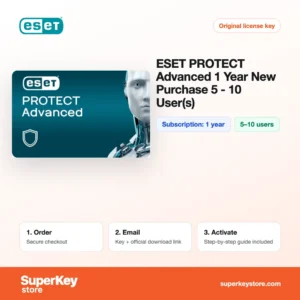
| ESET PROTECT Advanced (1 year, 5-10 users) | Adds disk encryption and cloud sandbox | 1 year | 5-10 users |
| ESET PROTECT Complete (5-10 Users, 1 Year) | Adds mail and cloud app protection | 1 year | 5-10 users |
| Kaspersky Next EDR Foundations (1 year, 5-9 users) | Endpoint protection with root cause analysis | 1 year | 5-9 users |
| Microsoft Defender for Business (NCE) | Firms already on Microsoft 365 | Yearly subscription | Per user |
| Trend Micro Worry-Free Business Security Services | Very small teams with cloud management | 1 year | 2-5 users |
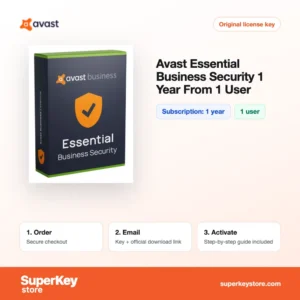
A single entrepreneur can also use Avast Essential Business Security, licensed for one user.
What are the system requirements for business security software?
Business agents run on all supported Windows, Windows Server, macOS and Linux versions; requirements differ by vendor, so check each product's System Requirements tab.
| Componente | Minimo |
|---|---|
| Sistema operativo | Windows 10 or 11, supported Windows Server versions, recent macOS; Linux and mobile depending on product |
| Processore | Any current x64 or ARM processor supported by the operating system |
| Memoria (RAM) | 2 GB or more on endpoints recommended |
| Spazio su disco | About 1-2 GB per endpoint agent |
| Other | Internet connection to the cloud console; Exchange Server for ScanMail |
How do you download and activate business security software?
- Order: Choose the product and seat count that covers all your users or devices and check out.
- Receive your email: We send the license key and portal link by email, usually within minutes. In some cases a security check delays the email by up to 24 hours.
- Download: Sign in to the vendor's official management portal, for example ESET PROTECT Hub or the Microsoft 365 admin center, and download the agent installers.
- Activate: Add the license key in the console, then deploy the agent to each computer and server.
What happens to my business security software license if I reinstall or format my computer?
The license is held in the vendor's management console, not on the computer. After reinstalling Windows you deploy the agent again from the console, and the device takes a seat from the same license. Remove the old device entry so the seat count stays correct.
Can I move a business security software license to a new PC or Mac?
Yes, seats can be reassigned. Delete or deactivate the old computer in the console and install the agent on the new PC or Mac. Microsoft Defender for Business licenses are assigned to users in the Microsoft 365 admin center, so a new device is covered when the user signs in.
What if my Business Security key does not work?
Email support with your order number and a screenshot from the management console. We replace the license or refund it in line with the Politica di rimborso.
Frequently asked questions about business security
What is the difference between EDR and normal antivirus?
Antivirus blocks known threats on each device. EDR also records device activity so administrators can investigate attacks and respond across the whole network.
Can I use home antivirus in my company?
Most home licenses only allow private use. Business products are licensed for commercial use and include central management.
Do server licenses count as seats?
Yes, with most vendors each protected server uses a seat. Check the product description for how servers and mobile devices are counted.
Does Microsoft Defender for Business need Microsoft 365?
No, it is sold as a standalone subscription. It is also included in Microsoft 365 Business Premium.
What happens when the license expires?
Agents stop receiving updates and the console shows a warning. Renew before the end date to keep protection active.
Can an IT provider manage several customers?
Yes, ESET, Kaspersky and Trend Micro offer multi-tenant consoles for managed service providers. Each customer keeps its own license.
Do I need an on-premises server for the console?
No, all products here can be managed from the vendor's cloud console. Some also offer an on-premises option.
Does business security replace backups?
No, security software reduces risk but does not replace offline or cloud backups. Keep backups to recover from any incident.
Can I increase the number of seats later?
Yes, you can buy additional seats or a larger tier and add them to the console. Contact support before ordering if you want to combine terms.
More security and business software
For home and family protection, return to Licenze antivirus. Businesses can also compare Licenze Microsoft 365 e Licenze Windows Server e CAL.
Cosa ricevi acquistando licenze per la sicurezza aziendale su SuperKeyStore?
Riceverai un’e-mail con la chiave di licenza, il link di download ufficiale e le istruzioni di attivazione passo dopo passo. Ogni ordine comprende:
- Chiave di licenza: il Product Key per l’edizione, la durata e il numero di dispositivi indicati nella pagina del prodotto.
- Download ufficiale: un link al programma di installazione sul sito del produttore.
- Guida all’attivazione: i passaggi per installare e attivare il software, riportati anche nella scheda “Download e attivazione”.
- Cronologia ordini: la chiave resta disponibile nell’e-mail di conferma e in Il mio account.
- Assistenza via e-mail: aiuto per l’installazione o l’attivazione dal nostro team di assistenza.
Perché acquistare licenze software su SuperKeyStore?
SuperKeyStore vende chiavi di licenza digitali con consegna via e-mail, pagamento sicuro e regole chiare in caso di chiave difettosa. Ecco i motivi principali per ordinare da noi:
- Consegna digitale: nessuna spedizione; la chiave arriva generalmente via e-mail pochi minuti dopo il pagamento e alcuni ordini sono sottoposti a un controllo di sicurezza che può richiedere fino a 24 ore.
- Informazioni chiare: ogni pagina prodotto indica edizione, piattaforma, durata della licenza e numero di dispositivi.
- Sostituzione o rimborso: se una chiave non funziona, ricevi una chiave funzionante o il rimborso, come previsto dalla Politica di rimborso.
- Pagamento sicuro: i pagamenti sono gestiti dal fornitore del servizio di pagamento; SuperKeyStore non conserva i dati completi della carta.
Altre licenze software nel catalogo SuperKeyStore
SuperKeyStore vende licenze anche in queste categorie:
- Licenze Windows: Licenze Windows 11 · Licenze Windows 10
- Licenze Microsoft Office: Licenze Office 2024 · Licenze Office 2021 · Licenze Office 2019 · Licenze Office 2016 · Licenze Microsoft Office per Mac · Licenze Microsoft Word, Excel e app di Office · Licenze Microsoft Project · Licenze Microsoft Visio
- Licenze Microsoft 365
- Licenze antivirus: Licenze antivirus Norton · Licenze antivirus McAfee · Licenze antivirus Kaspersky · Licenze antivirus Bitdefender · Licenze antivirus ESET · Licenze antivirus Avast · Licenze antivirus AVG · Licenze antivirus Panda · Licenze VPN · Licenze per la sicurezza aziendale
- Licenze Windows Server e CAL: Licenze CAL Windows Server e CAL RDS · Licenze Microsoft SQL Server · Licenze Exchange & SharePoint Server
- Licenze software CAD e 3D: Licenze software Autodesk · Licenze Graphisoft Archicad · Licenze SolidWORKS
- Licenze software di grafica e foto: Licenze software Adobe · Licenze CorelDRAW
- Licenze PDF e strumenti per ufficio
- Licenze software di backup e recupero dati
- Licenze software video e musica
- Licenze software di virtualizzazione
- Pacchetti Office e Windows