
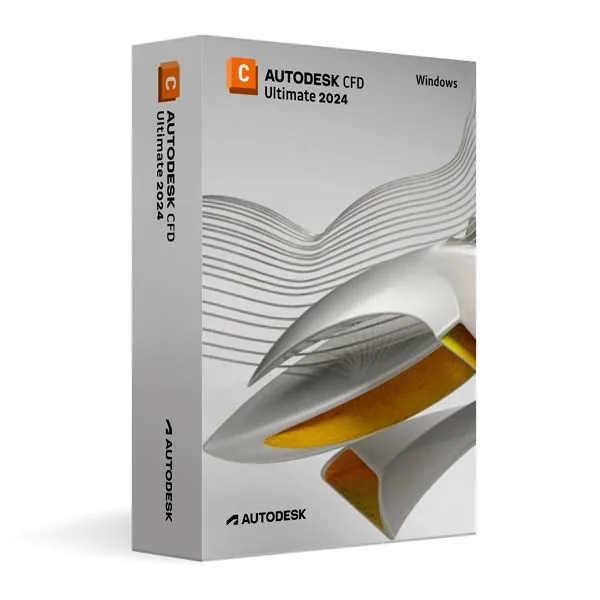
Autodesk CFD Ultimate 2024 for Windows (Education)
66,98 €
CFD Ultimate 2024 (Education)
Disponibile
Consegna via e-mail, generalmente pochi minuti dopo il pagamento
Caratteristiche principali
Buy Autodesk CFD Ultimate 2024 for Windows (Education) License Key on SuperKeyStore: original product key, free technical support and a replacement-or-refund guarantee for faulty keys. Fluid flow and thermal simulation, design comparison and performance prediction for students and educators on Windows PCs. Delivered by email, usually within minutes of payment.
Buy Autodesk CFD Ultimate 2024 for Windows (Education)
You get an Autodesk CFD Ultimate 2024 for Windows (Education) license key, the download link and activation steps by email. Autodesk CFD Ultimate 2024 for Windows (Education) is an educational license of Autodesk’s computational fluid dynamics software for Windows, used to simulate fluid flow and heat transfer in non-commercial projects. No box or DVD is shipped.
| Dettaglio | Valore |
|---|---|
| Prodotto | Autodesk CFD Ultimate 2024 for Windows (Education) |
| Produttore | Autodesk |
| Categoria | Autodesk |
| Platform | Windows |
| Consegna | License key and download link by email |
What is Autodesk CFD Ultimate 2024?
Autodesk CFD Ultimate 2024 is simulation software for computational fluid dynamics (CFD) and thermal analysis. It shows how liquids and gases move through and around a product and how heat spreads. This edition runs on Windows. It is an educational license for personal and non-commercial use, with the same features as the commercial version and no watermarks on results.
What does Autodesk CFD Ultimate 2024 do?
The software predicts product performance before a physical prototype exists. Engineers test design changes on the computer and compare the results. The main uses are:
- Fluid flow simulation: analyses how air and liquids behave under different conditions.
- Thermal simulation: calculates heat transfer and temperatures in parts and assemblies.
- Thermal management: checks the cooling of electronics and machines.
- Design studies: compares several design variants in one project.
- Result presentation: displays flow and temperature results for reports and presentations.
Who should use the educational license?
The educational license is for students, educators and individual learners. It suits university courses, research projects and self-study in mechanical engineering and product design. Results are identical to the commercial edition, so they can be used in academic work. Commercial engineering projects require a commercial license.
What is the difference between CFD Ultimate 2024 and later versions?
The versions differ by release year; all listed editions are CFD Ultimate for Windows. The table shows the related products:
| Prodotto | Release | Platform |
|---|---|---|
| Autodesk CFD Ultimate 2024 | 2024 | Windows |
| Autodesk CFD Ultimate 2025 | 2025 | Windows |
| Autodesk CFD Ultimate 2026 | 2026 | Windows |
A course that requires a newer release can use Autodesk CFD Ultimate 2025 for Windows. More software is listed in the Autodesk category.
Why buy Autodesk CFD Ultimate 2024 for Windows (Education) from SuperKeyStore?
Buying Autodesk CFD Ultimate 2024 for Windows (Education) at SuperKeyStore includes:
- Original license: an original Autodesk CFD Ultimate 2024 for Windows (Education) license key, activated through Autodesk’s official activation.
- Education license: for students and teachers, for personal and non-commercial use.
- Platform: Windows.
- Email delivery: the license key and the official download link arrive by email, usually within minutes of payment (some orders get a security check of up to 24 hours).
- Free technical support: our team helps by email with installation and activation ([email protected]).
- Sostituzione o rimborso: if the key does not work, you get a working key or your money back, as set out in our Politica di rimborso.
How do you redeem your Autodesk CFD Ultimate 2024 for Windows (Education) key?
You redeem the key in a few steps after the order email arrives. The redemption guide for Autodesk CFD Ultimate 2024 for Windows (Education) is:
- Open your order email: it contains your license details and the instructions for your Autodesk account.
- Sign in to (or create) your free Autodesk account at accounts.autodesk.com as described in the email.
- Download CFD Ultimate from your Autodesk account (Products and Services) or with the official link in your email.
- Run the installer, then start CFD Ultimate and sign in with the same Autodesk account to activate it.
Your key also stays in your order email and under Il mio account.
Requisiti di sistema
| Sistema operativo | Windows 11 or Windows 10 (64-bit) |
|---|---|
| Processore | 64-bit Intel or AMD multi-core processor |
| Memory RAM | 8 GB (16 GB or more recommended) |
| Spazio su disco | 10 GB |
| Graphics | GPU with OpenGL support and 1 GB or more |
| Internet | Required for download and activation |
Download e attivazione
Download Autodesk CFD Ultimate 2024 for Windows with SuperKeyStore
Buying Autodesk CFD Ultimate 2024 for Windows takes a minute: add it to your cart, pay through our secure, encrypted checkout and you receive your product key and the official download link by email, usually within minutes. Everything you need is in your order email, together with these instructions.
How to install and activate Autodesk CFD Ultimate 2024 for Windows
- Open your order email: it contains your license details and the instructions for your Autodesk account.
- Sign in to (or create) your free Autodesk account at accounts.autodesk.com as described in the email.
- Download CFD Ultimate from your Autodesk account (Products and Services) or with the official link in your email.
- Run the installer, then start CFD Ultimate and sign in with the same Autodesk account to activate it.
Stuck at any step? Email [email protected] with your order number and a screenshot. Our support is free, and if a key does not work we send a replacement or refund you, as set out in our Politica di rimborso.
Why choose Autodesk CFD Ultimate 2024 for Windows
CFD Ultimate is a computational fluid dynamics simulation software for mechanical and building engineers, product designers and students. Highlights: Fluid flow and heat transfer simulation; Electronics cooling and HVAC analysis; Design study automation to compare variants.
More software at SuperKeyStore
Popular with this product: Windows 11 Pro, Office 2024 Professional Plus, Microsoft 365 Personal. Browse all Microsoft Office, antivirus software, money-saving bundles e Microsoft apps.
Consegna digitale
All our products are delivered digitally by email: no shipping costs, no waiting for a parcel and no packaging waste. Your key is stored in your order email and, if you created one, in your account, so you can find it again at any time.
FAQ
What is an educational license?
It is a license for personal, non-commercial use such as learning, teaching and personal projects. CFD Ultimate has the full functionality of the commercial version and the output is identical, without watermarks.
Can I use it for commercial work?
No. The educational license may not be used for paid or commercial projects. Contact us if you need a commercial license.
Which operating system does it run on?
This edition runs on Windows. It does not run on macOS; choose the matching edition for another system.
On how many computers can I use it?
The license is for 1 user. Contact us before buying if you need licenses for several people.
Where do I download the software?
From the official Autodesk website or the official link in your order email. The Download & Activation tab explains every step.
Do I need an internet connection?
Yes, to download and activate the software and to sign in regularly.
In quanto tempo riceverò la chiave?
By email, usually within minutes of payment. Some orders go through a short security check that can take up to 24 hours. Please check your spam folder too.
E se la chiave non funziona?
Email us your order number and a screenshot of the error. We send a replacement or refund you, as described in our Politica di rimborso.
Altre domande? Consulta le nostre FAQ, Politica di rimborso o contattaci.
- Assistenza gratuitaVia e-mail
- Consegna rapidaGeneralmente in pochi minuti
- Pagamenti sicuriPagamento crittografato
- Licenze digitaliAttivazione ufficiale
- Chiave difettosa?Sostituzione o rimborso
Selezionati per te
Vedi tutto Autodesk ReCap Pro 2026/2025/202449,98 € 69,98 €+ Aggiungi
 Autodesk AutoCAD Plant 3D 2026 for Windows (Education)120,98 €+ Aggiungi
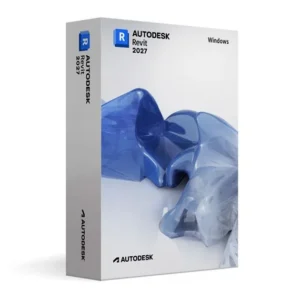 Autodesk Revit 2027 for Windows (Education)160,98 €+ Aggiungi
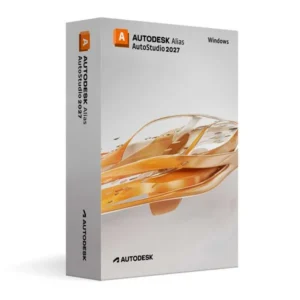 Autodesk Alias AutoStudio 2027 for Windows (Education)147,98 €+ Aggiungi
 Autodesk AutoCAD 2026 Complete Package (Education)241,98 €+ Aggiungi
Recensioni
Non ci sono ancora recensioni.