
Licenze Windows
Windows licenses activate Microsoft’s Windows 11 or Windows 10 operating system. Home suits private PCs; Pro adds BitLocker, Remote Desktop and Hyper-V; Enterprise and LTSC are for organizations.
Browse Windows Licenses by type: Licenze Windows 10, Licenze Windows 11.
- Sorry, this product cannot be purchased.
- 2
- 3
- 4
Buy Windows Licenses at SuperKeyStore
Windows is Microsoft's operating system for desktop PCs, laptops and workstations. A license key activates Windows on a computer and enables personalisation, all features and regular updates. This category covers Windows 11 and Windows 10 in Home, Pro, Education and Enterprise editions, as well as long-term servicing (LTSC) versions for special devices.
Most home users choose Windows 11 Home o Windows 11 Pro. Businesses can also find Windows 11 Enterprise e Windows 10 ESU Commercial Year 1 (2025-2026) for extended security updates. You receive the product key and a link to Microsoft's official download by email, usually within minutes.
Why buy a Windows license?
An activated copy of Windows gives you the full operating system with these advantages:
- All features unlocked: Activation removes the watermark and enables personalisation settings such as wallpaper, colors and themes.
- Security updates: Windows Update delivers monthly security patches and Microsoft Defender protection for supported versions.
- Business features in Pro: Pro adds BitLocker drive encryption, Remote Desktop host, Hyper-V and joining a company domain.
- Long-term stability with LTSC: LTSC editions receive security updates for many years without feature changes, which suits kiosks, machines and medical devices.
- Wide software compatibility: Almost all desktop programs and games are made for Windows.
What are the main features of Windows?
Windows 11, the current version, brings these main features:
1. Modern interface and Snap Layouts
The centered Start menu and Snap Layouts arrange several windows on screen with one click. People who work with many apps at once stay organized.
2. Built-in security
Microsoft Defender, Windows Hello sign-in, Smart App Control and TPM-based protection are included. Users get solid basic protection without extra software.
3. BitLocker and business tools
Pro and higher editions include BitLocker encryption, Group Policy, Remote Desktop and Hyper-V. Small businesses and IT administrators manage and secure devices centrally.
4. Gaming features
DirectX 12 Ultimate, Auto HDR and DirectStorage improve graphics and loading times on supported hardware. Gamers get the most from modern PCs.
5. Copilot and AI tools
Windows 11 includes Copilot and AI features in apps such as Photos and Paint. Everyday users get help with writing, searching and image editing.
Which Windows edition is right for you?
Windows 11 Home suits private users, Windows 11 Pro suits professionals and small businesses, and Enterprise or LTSC editions suit managed company environments. Check that your PC meets the Windows 11 requirements, including TPM 2.0, before you buy.
| Prodotto | Best for | Versione | Key features |
|---|---|---|---|
| Windows 11 Home | Private users and families | Windows 11 | Core features, Microsoft Defender |
| Windows 11 Pro | Freelancers and small offices | Windows 11 | BitLocker, Remote Desktop, Hyper-V |
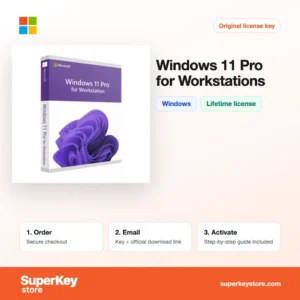
| Windows 11 Pro for Workstations | High-end workstations | Windows 11 | Support for server-grade hardware, ReFS |
| Windows 11 Enterprise IoT LTSC 2024 | Fixed-purpose devices and kiosks | Windows 11 LTSC | Long servicing period, no feature updates |
| Windows 10 Enterprise 2021 LTSC | Stable PCs that must stay on Windows 10 | Windows 10 LTSC | Long servicing period |
| Windows 10 Pro | PCs that cannot run Windows 11 | Windows 10 | Pro features on older hardware |
Enterprise and LTSC editions are intended for organizations with IT management, and IoT editions for dedicated devices. Private users should avoid them, because they lack consumer features such as the Microsoft Store in some versions.
What are the system requirements for Windows?
Windows 11 needs a reasonably modern PC with TPM 2.0 and Secure Boot; Windows 10 runs on older hardware.
| Componente | Minimo |
|---|---|
| Sistema operativo | Upgrade from Windows 10, or clean installation |
| Processore | 1 GHz or faster, 2 or more cores, 64-bit compatible processor on Microsoft's supported list |
| Memoria (RAM) | 4 GB |
| Spazio su disco | 64 GB |
| Other | UEFI with Secure Boot, TPM 2.0, DirectX 12 compatible graphics; internet connection and Microsoft account for Home setup |
How do you download and activate Windows?
- Order: Choose the edition you need and complete checkout.
- Receive the key: The 25-character product key and download link are emailed to you, usually within minutes, or within 24 hours if a security check applies.
- Download: Use Microsoft's official Media Creation Tool or ISO download to create installation media, or upgrade an existing installation.
- Activate: Open Settings, then System, then Activation, select Change product key and enter your key.
What happens to my Windows license if I reinstall or format my computer?
Windows activation is stored as a digital license on Microsoft's servers and linked to your hardware. When you reinstall Windows on the same PC, it usually activates automatically once connected to the internet. If not, enter your product key again under Settings, System, Activation.
Can I move a Windows license to a new PC or Mac?
Retail licenses can be moved to a new PC after removing them from the old one, and linking the license to a Microsoft account helps with this. OEM licenses stay with the first computer they activate. Windows does not install on Apple silicon Macs as a standard license; Intel Macs can run it through Boot Camp.
What if my Windows key does not work?
Send our support your order number and a screenshot of the activation page with the error code. We will provide a replacement key or a refund in line with the Politica di rimborso.
Frequently asked questions about Windows licenses
What is the difference between OEM and Retail keys?
An OEM key is tied to the first PC it is activated on. A Retail key can be moved to a new computer after you remove it from the old one.
Can I upgrade from Windows 11 Home to Pro?
Yes, enter a Windows 11 Pro key under Settings, System, Activation. Windows upgrades in place and keeps your files and programs.
Is Windows 10 still supported?
Microsoft ended regular support for Windows 10 in October 2025. Businesses can buy Extended Security Updates, and LTSC editions follow their own longer support dates.
What does the N in Windows 11 Pro N mean?
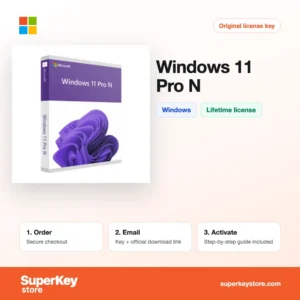
N editions are made for the European market and ship without Windows Media Player and some media features. You can add these later with the free Media Feature Pack.
Who can use Windows 11 Education?
Windows 11 Education is intended for schools, students and teachers. It offers features similar to Enterprise for educational use.
Is a Windows license a subscription?
No, Home, Pro and LTSC keys are one-time licenses. Only Extended Security Updates are sold per year.
What is the difference between Windows 11 Home and Pro?
Pro adds BitLocker, Remote Desktop host, Hyper-V, Group Policy and domain join. Home covers everything typical private users need.
Can I install Windows 11 on an unsupported PC?
Microsoft does not support it, and such PCs may not receive updates. Choose Windows 10 or upgrade the hardware instead.
Do I need a key if I upgrade from Windows 10 to 11?
No, an activated Windows 10 PC upgrades to the matching Windows 11 edition free of charge if the hardware is supported.
Can I use one Windows key on two computers?
No, each Windows license activates one PC. The 2-PC packs on this page contain a key for each computer.
Browse Windows Licenses by type
Find all editions of each version in Licenze Windows 11 e Licenze Windows 10. To complete your PC, see Licenze Microsoft Office, Licenze antivirus o Licenze Windows Server e CAL.
Cosa ricevi acquistando licenze Windows su SuperKeyStore?
Riceverai un’e-mail con la chiave di licenza, il link di download ufficiale e le istruzioni di attivazione passo dopo passo. Ogni ordine comprende:
- Chiave di licenza: il Product Key per l’edizione, la durata e il numero di dispositivi indicati nella pagina del prodotto.
- Download ufficiale: un link al programma di installazione sul sito del produttore.
- Guida all’attivazione: i passaggi per installare e attivare il software, riportati anche nella scheda “Download e attivazione”.
- Cronologia ordini: la chiave resta disponibile nell’e-mail di conferma e in Il mio account.
- Assistenza via e-mail: aiuto per l’installazione o l’attivazione dal nostro team di assistenza.
Perché acquistare licenze software su SuperKeyStore?
SuperKeyStore vende chiavi di licenza digitali con consegna via e-mail, pagamento sicuro e regole chiare in caso di chiave difettosa. Ecco i motivi principali per ordinare da noi:
- Consegna digitale: nessuna spedizione; la chiave arriva generalmente via e-mail pochi minuti dopo il pagamento e alcuni ordini sono sottoposti a un controllo di sicurezza che può richiedere fino a 24 ore.
- Informazioni chiare: ogni pagina prodotto indica edizione, piattaforma, durata della licenza e numero di dispositivi.
- Sostituzione o rimborso: se una chiave non funziona, ricevi una chiave funzionante o il rimborso, come previsto dalla Politica di rimborso.
- Pagamento sicuro: i pagamenti sono gestiti dal fornitore del servizio di pagamento; SuperKeyStore non conserva i dati completi della carta.
Altre licenze software nel catalogo SuperKeyStore
SuperKeyStore vende licenze anche in queste categorie:
- Licenze Windows: Licenze Windows 11 · Licenze Windows 10
- Licenze Microsoft Office: Licenze Office 2024 · Licenze Microsoft Office per Mac · Licenze Microsoft Word, Excel e app di Office · Licenze Microsoft Project · Licenze Microsoft Visio
- Licenze Microsoft 365
- Licenze antivirus: Licenze antivirus Norton · Licenze antivirus McAfee · Licenze antivirus Bitdefender · Licenze antivirus ESET · Licenze antivirus Avast · Licenze antivirus AVG · Licenze antivirus Panda · Licenze VPN · Licenze per la sicurezza aziendale
- Licenze Windows Server e CAL: Licenze CAL Windows Server e CAL RDS · Licenze Microsoft SQL Server · Licenze Exchange & SharePoint Server
- Licenze software CAD e 3D: Licenze software Autodesk · Licenze Graphisoft Archicad · Licenze SolidWORKS
- Licenze software di grafica e foto: Licenze software Adobe · Licenze CorelDRAW
- Licenze PDF e strumenti per ufficio
- Licenze software di backup e recupero dati
- Licenze software video e musica
- Licenze software di virtualizzazione
- Pacchetti Office e Windows