
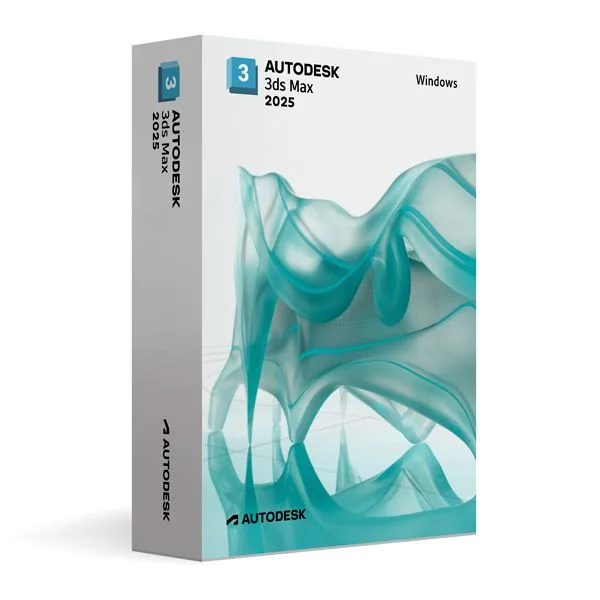
Autodesk 3ds Max 2025 for Windows (Education)
93,98 €
3ds Max 2025 (Education)
Disponibile
Consegna via e-mail, generalmente pochi minuti dopo il pagamento
Caratteristiche principali
Buy Autodesk 3ds Max 2025 for Windows (Education) License Key on SuperKeyStore: original product key, free technical support and a replacement-or-refund guarantee for faulty keys. Polygon and spline modeling, materials, rendering, rigging and particle animation for visualization, games and film, for study use. Delivered by email, usually within minutes of payment.
Buy Autodesk 3ds Max 2025 for Windows (Education)
You get an Autodesk 3ds Max 2025 for Windows (Education) license key, the download link and activation steps by email. Autodesk 3ds Max 2025 for Windows (Education) is an educational license of Autodesk’s 3D modeling, animation and rendering software for Windows, used for visualization, games and film. No box or DVD is shipped.
| Dettaglio | Valore |
|---|---|
| Prodotto | Autodesk 3ds Max 2025 for Windows (Education) |
| Produttore | Autodesk |
| Categoria | 3ds Max |
| Platform | Windows |
| Consegna | License key and download link by email |
What is Autodesk 3ds Max 2025?
Autodesk 3ds Max 2025 is 3D software for modeling, texturing, rendering and animation on Windows. It is widely used for architectural visualization, game development, film production and virtual reality.
This edition uses an educational license for personal and non-commercial use. It has the full feature set of the commercial version, and the output carries no watermarks.
What are the main features of 3ds Max 2025?
3ds Max provides a complete toolset from the first model to the final render. The main functions are:
- Polygon and spline modeling: builds detailed objects, buildings and characters.
- Procedural modeling: uses modifiers and parameters for fast design changes.
- Material editor: creates realistic surfaces and textures.
- Rendering: supports real-time previews and photorealistic offline rendering.
- Animation: includes character rigging, keyframe animation and particle systems.
- Pipeline integration: works with other Autodesk products and third-party plug-ins.
Who should use 3ds Max 2025?
This edition suits students, teachers and hobbyists who learn 3D visualization and animation. Architecture students render building designs. Game design students model and animate assets. Commercial client work is not covered by the educational license.
What is the difference between 3ds Max 2025 and other versions?
3ds Max 2025 sits between the 2024 release and the newer 2026 and 2027 releases. All versions run on Windows only. The table lists the options:
| Prodotto | System |
|---|---|
| 3ds Max 2024 | Windows |
| 3ds Max 2025 | Windows |
| 3ds Max 2027 | Windows |
The newest release is Autodesk 3ds Max 2027 for Windows. Mac users who need 3D animation can compare Autodesk Maya 2025 for MacOS, because 3ds Max has no Mac version.
Why buy Autodesk 3ds Max 2025 for Windows (Education) from SuperKeyStore?
Buying Autodesk 3ds Max 2025 for Windows (Education) at SuperKeyStore includes:
- Original license: an original Autodesk 3ds Max 2025 for Windows (Education) license key, activated through Autodesk’s official activation.
- Education license: for students and teachers, for personal and non-commercial use.
- Platform: Windows.
- Email delivery: the license key and the official download link arrive by email, usually within minutes of payment (some orders get a security check of up to 24 hours).
- Free technical support: our team helps by email with installation and activation ([email protected]).
- Sostituzione o rimborso: if the key does not work, you get a working key or your money back, as set out in our Politica di rimborso.
How do you redeem your Autodesk 3ds Max 2025 for Windows (Education) key?
You redeem the key in a few steps after the order email arrives. The redemption guide for Autodesk 3ds Max 2025 for Windows (Education) is:
- Open your order email: it contains your license details and the instructions for your Autodesk account.
- Sign in to (or create) your free Autodesk account at accounts.autodesk.com as described in the email.
- Download 3ds Max from your Autodesk account (Products and Services) or with the official link in your email.
- Run the installer, then start 3ds Max and sign in with the same Autodesk account to activate it.
Your key also stays in your order email and under Il mio account.
Requisiti di sistema
| Sistema operativo | Windows 11 or Windows 10 (64-bit) |
|---|---|
| Processore | 64-bit Intel or AMD multi-core processor with SSE4.2 |
| Memory RAM | 8 GB (16 GB or more recommended) |
| Spazio su disco | 9 GB |
| Graphics | Certified GPU with DirectX 11 or 12 (4 GB or more) |
| Schermo | 1920 x 1080 |
| Internet | Required for download and activation |
Download e attivazione
Download Autodesk 3ds Max 2025 for Windows with SuperKeyStore
Buying Autodesk 3ds Max 2025 for Windows takes a minute: add it to your cart, pay through our secure, encrypted checkout and you receive your product key and the official download link by email, usually within minutes. Everything you need is in your order email, together with these instructions.
How to install and activate Autodesk 3ds Max 2025 for Windows
- Open your order email: it contains your license details and the instructions for your Autodesk account.
- Sign in to (or create) your free Autodesk account at accounts.autodesk.com as described in the email.
- Download 3ds Max from your Autodesk account (Products and Services) or with the official link in your email.
- Run the installer, then start 3ds Max and sign in with the same Autodesk account to activate it.
Stuck at any step? Email [email protected] with your order number and a screenshot. Our support is free, and if a key does not work we send a replacement or refund you, as set out in our Politica di rimborso.
Why choose Autodesk 3ds Max 2025 for Windows
3ds Max is a 3D modeling, animation and rendering software for 3D artists, game developers, architects creating visualizations and students. Highlights: Powerful polygon, spline and NURBS modeling; Arnold renderer for photorealistic images; Character animation, rigging and motion paths.
More software at SuperKeyStore
Popular with this product: Windows 11 Pro, Office 2024 Professional Plus, Microsoft 365 Personal. Browse all Microsoft Office, antivirus software, money-saving bundles e Microsoft apps.
Consegna digitale
All our products are delivered digitally by email: no shipping costs, no waiting for a parcel and no packaging waste. Your key is stored in your order email and, if you created one, in your account, so you can find it again at any time.
FAQ
What is an educational license?
It is a license for personal, non-commercial use such as learning, teaching and personal projects. 3ds Max has the full functionality of the commercial version and the output is identical, without watermarks.
Can I use it for commercial work?
No. The educational license may not be used for paid or commercial projects. Contact us if you need a commercial license.
Which operating system does it run on?
This edition runs on Windows. It does not run on macOS; choose the matching edition for another system.
On how many computers can I use it?
The license is for 1 user. Contact us before buying if you need licenses for several people.
Where do I download the software?
From the official Autodesk website or the official link in your order email. The Download & Activation tab explains every step.
Do I need an internet connection?
Yes, to download and activate the software and to sign in regularly.
In quanto tempo riceverò la chiave?
By email, usually within minutes of payment. Some orders go through a short security check that can take up to 24 hours. Please check your spam folder too.
E se la chiave non funziona?
Email us your order number and a screenshot of the error. We send a replacement or refund you, as described in our Politica di rimborso.
Altre domande? Consulta le nostre FAQ, Politica di rimborso o contattaci.
- Assistenza gratuitaVia e-mail
- Consegna rapidaGeneralmente in pochi minuti
- Pagamenti sicuriPagamento crittografato
- Licenze digitaliAttivazione ufficiale
- Chiave difettosa?Sostituzione o rimborso
Selezionati per te
Vedi tutto Ashampoo 3D CAD Professional 12 Prezzo precedente: 106,98 €.61,98 €Il prezzo attuale è: 61,98 €.+ Aggiungi
 Autodesk AutoCAD 2025 for MacOS (Education)93,98 €+ Aggiungi
 Autodesk Inventor Nesting 2025 for Windows (Education)93,98 €+ Aggiungi
 SolidWORKS Complete Package200,98 €+ Aggiungi
 Autodesk AutoCAD Electrical 2026 for Windows (Education)120,98 €+ Aggiungi
Recensioni
Non ci sono ancora recensioni.